Showing posts with label nature. Show all posts

Tuesday, February 5, 2013

Framing a Fall Walk


Brookside Park, Ames, Iowa
 In my effort to get back into the practice of editing images for Beyond Layers assignments, I chose a shot I took with my HTC Thunderbolt last fall on a glorious Sunday when Hubby and I went for a walk at a local park.

The point of the assignment was to add frames to our images which is just what I did to help draw your attention toward the biker on the path.  I had a similar shot with no biker, but the human element made this seem more interesting to me.

The light was quite bright and scattered across the image - even in the shadows.  I played with the levels and added a color layer to help boost the warmth I felt that day.

Next I added two frame layers.  One is quite broad and is not very obvious.  I used it to darken the outer part of the image and make the center seem brighter in contrast.  A narrow dark border was added to finish this off.  Both borders are heavily feathered to blend into the shot.

I like knowing how to make this vintage-style border that is similar to a quick action I can do with the PicSay Pro app on my phone.

Wednesday, March 7, 2012

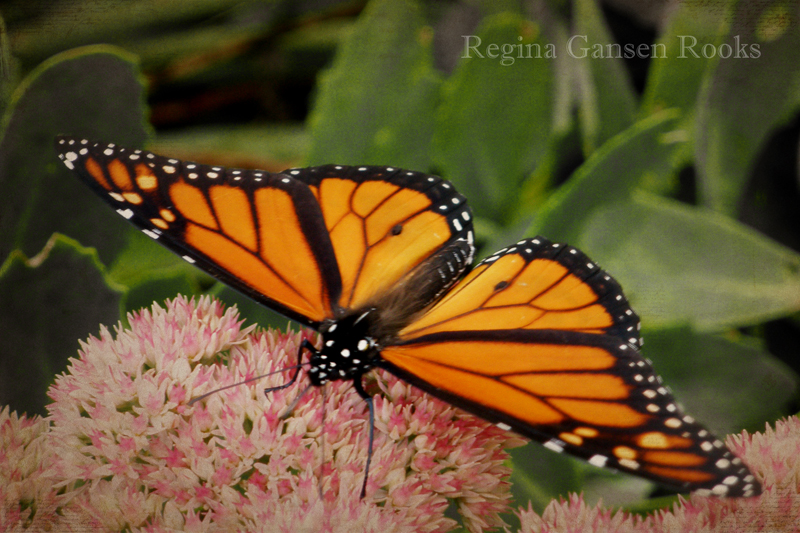
Happy Heart Monarch

Kim Klassen "Happy Heart" texture applied to my image
I was away from my laptop for more than a week attending to a family matter.  I told my Hubby that right after missing him, I missed editing images!  So before my busy day away from home gets started, I checked out the latest Texture Tuesday assignment at the Kim Klassen Cafe.

Every fall, butterflies visit my back yard garden and feast on the nectar of the Autumn Joy Sedum plants.  The butterflies are usually so preoccupied with their feeding that I can get fairly close to them.

I used minimal editing on this shot.  After croppping, I balanced the levels and desaturated the green to visually push the foilage back.  Two layers of the Kim Klassen's texture "Happy Heart" were added and the multiply blending mode was applied.  I erased the texture over the butterfly from one layer.  (For just a short while, I'm still using PSE 4.0, but will be upgrading very soon when my Wacom Intuos 4 tablet arrives. Then I'll easily mask out areas.)

This editing was a simple fix to help pop the butterfly from the busy surroundings.  I see the white spots like jewels set around the most beautiful stained glass.  Our Creator God is a magnificent artist!
"When I look at Your heavens, the work of Your fingers,
  the moon and the stars, which You have set in place,
  what is man that You are mindful of him,
  and the son of man that you care for him?"

Wednesday, April 8, 2009

One Reason to Love Iowa


This beautiful sunset graced the sky last evening. The only editing was to straighten the shot and cropping.